oralce database flake
Oracle database on cloud
Get a oracle cloud account
https://www.youtube.com/watch?v=3RJ5jMi8YUQ
SQL Developer flake
How to install
SQL Developerin your nixos system
export NIXPKGS_ALLOW_UNFREE=1
nix shell nixpkgs\#sqldeveloper --impure
This will throw the error
https://www.oracle.com/tools/downloads/sqldev-downloads-204.html
click on this previous button until match the version and download the
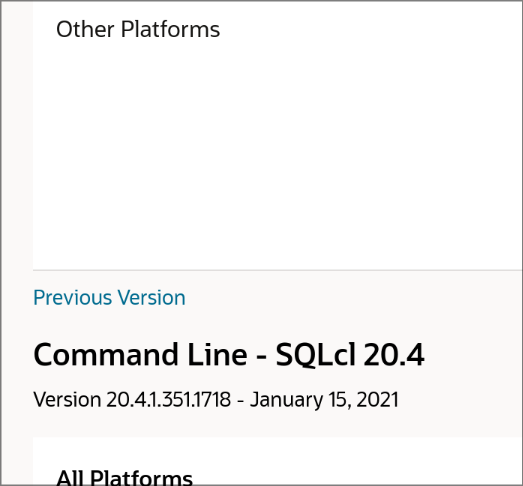
then added it the folder
nix-prefetch-url file:///home/vaisakh/Downloads/sqldeveloper-20.4.0.379.2205-no-jre.zip
- Now download matching version of JDK - https://www.oracle.com/in/java/technologies/javase/javase8u211-later-archive-downloads.html
(google the correct file name, it can bring you to page you can download it from)
nix-prefetch-url file:///home/vaisakh/Downloads/jdk-8u381-linux-x64.tar.gz
Setting up
-
download wallet with a password from Oracle Cloud DB website (video)
-
Open
sqldeveloper -
Click on green '+' button, on the popup, click on new database connect
-
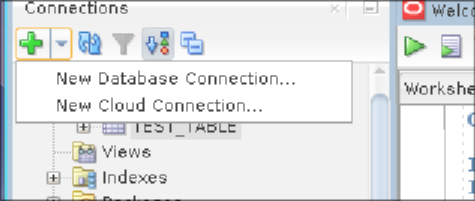
-
give the name something like oracle cloud free tier db and
-
change connection from basic type to cloud wallet
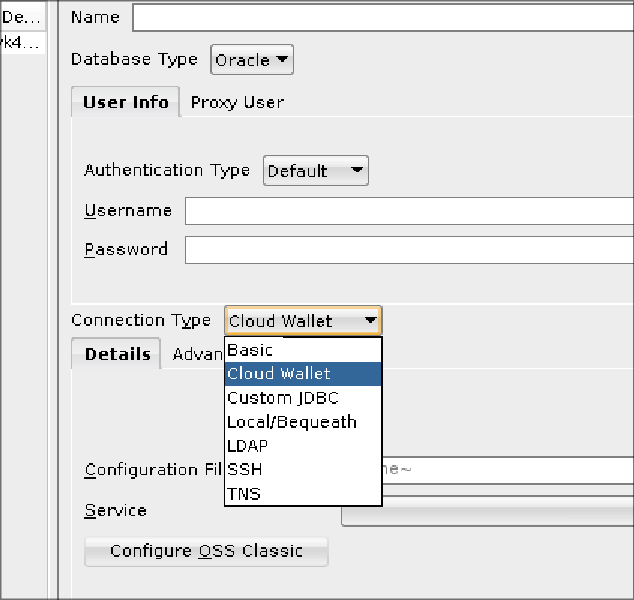
-
then click on browse button
If everything went smoothly, "status: success" will appear at bottom -
press
save -
press
connect
Now you can run sql queries
Hyprland blurry SQL Developer
xwayland {
  force_zero_scaling = true
}
Then set font size to 16
Setting up vim in Oracle SQL Developer on NixOS
ref: https://www.thatjeffsmith.com/archive/2013/02/how-to-plug-vi-into-oracle-sql-developer/
- type
which vimin your terminal
❯ which vim
/run/current-system/sw/bin/vim
-
In SQL Developer , go to
tools > External Tools... -
give above path to program Executable field.
-
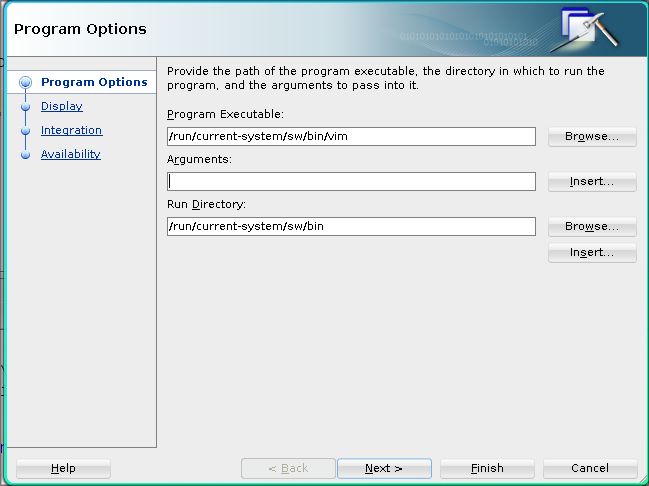
-
Press on insert button, select file path in arguments field.
-
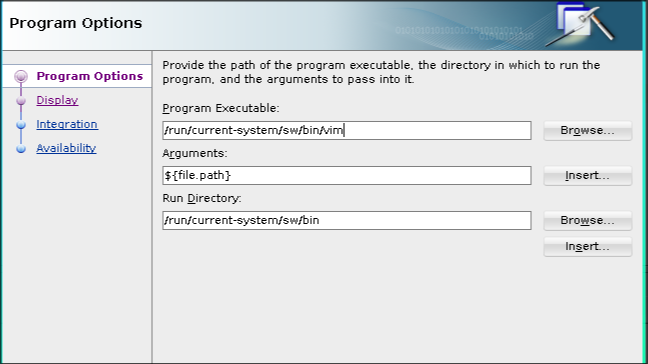
-
Next> Next> (stop at integration tab)
-
Click on
After tool exist> reload open files